01
Step 01
Connect your clients’ LSA accounts
Authorize LeadUp with Google and select the Local Services Ads accounts you want to manage.
 AI Google LSA responder
Help your clients respond faster to Google LSA leads. Automate replies, intake, follow-up, and qualification across client accounts, then hand each opportunity to the right client’s team.
New LSA message
Brightside Plumbing · Brooklyn
Service
Water heater repair
Location
Brooklyn, NY
Status
Intake in progress
End-to-end autopilot
Intake, qualification, lead rating, and handoff
Always listening
Reply while the team is busy or offline
Ranking-aware
Help keep average response time low
Performance focused
More qualified volume and a lower CPQL
Manage LSA message automation across your client accounts. Each responder uses the client’s business context, while your agency controls the setup and handoff rules.
Step 01
Authorize LeadUp with Google and select the Local Services Ads accounts you want to manage.
Step 02
Set each client’s services, service areas, intake questions, qualification criteria, and handoff rules.
Step 03
The LSA responder engages new message leads, collects the missing details, follows up, and evaluates fit.
Step 04
Send contact details, conversation history, requested service, urgency, and lead quality to each client’s team or CRM.
Set up live transfers for your clients. LeadUp calls the client’s team, shares a lead summary, and connects them with the lead after they accept.
An urgent request
Reach leads who need help now.
A specific service
Car accident cases, commercial roofing, or HVAC installation.
A phone number collected
Connect as soon as contact details are ready.
Customize triggers per client. A lead phone number is required.
Their team hears a quick lead summary.
Lead summary
Alex · Water heater repair
Your client decides when they’re ready to talk.
After the client accepts, LeadUp dials the lead and connects both parties when they answer.
Connected when the lead answers.
Calls are recorded for your agency to review and used to rate the lead in Google LSA.
A customer may contact several Local Services Ads providers about the same job. When multiple businesses receive the opportunity, a fast, useful response helps your client stand out while the customer is still choosing whom to hire.
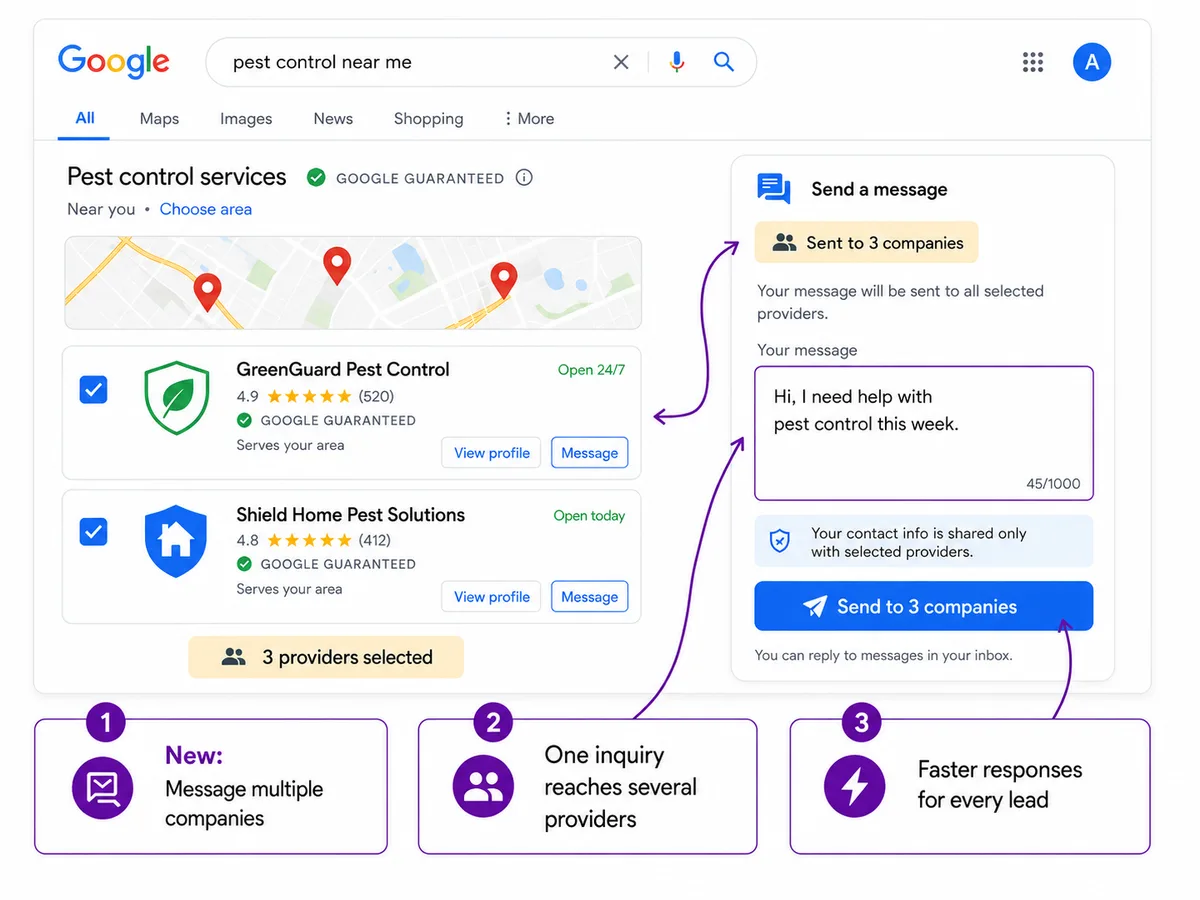
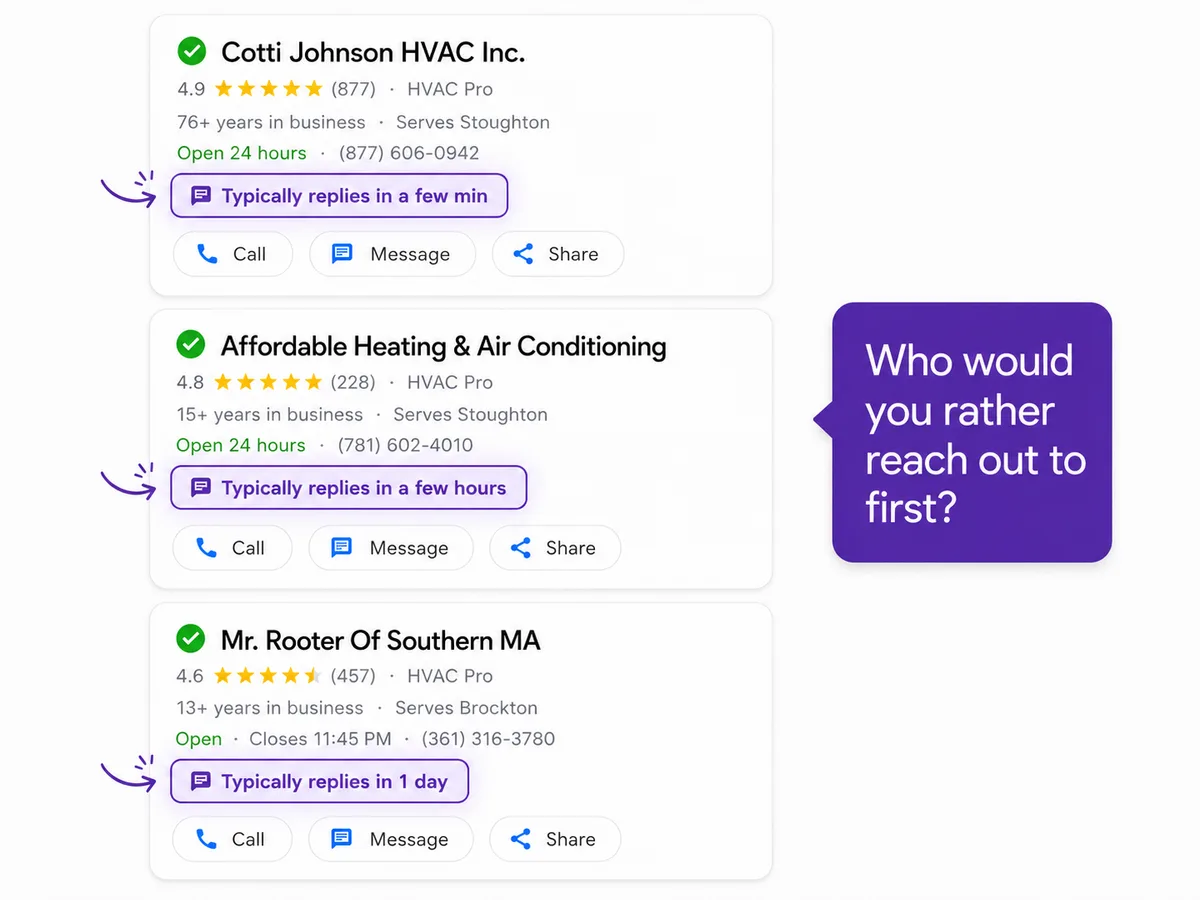
Google lists responsiveness to customer inquiries as an ad-ranking factor and average response time as part of profile quality. A fast Google LSA automated response can protect more than one conversation. It can support a healthier, more competitive profile over time.
LeadUp keeps an AI LSA responder ready for each new message, helping your clients respond to LSA leads faster when their teams are busy or offline. Read Google’s Local Services Ads ranking guidance.
LeadUp handles the intake conversation and the lead rating in one continuous workflow, so the repetitive work does not return to your team.
Instant reply
Engage the new message lead
AI intake
Collect service and contact details
AI rating
Qualify and explain lead quality
Clean handoff
Deliver the context downstream
More qualified volume
Handle more LSA conversations without adding inbox work
Lower cost per qualified lead
Turn a greater share of paid message leads into real opportunities
Stronger LSA operations
Support fast response and consistent lead-quality signals
What agencies need to know about client setup, automation, live transfers, and lead rating.
A Google LSA message autoresponder is software that replies to new message leads from Google Local Services Ads. LeadUp goes beyond an initial acknowledgment by asking intake questions, collecting lead details, following up, applying qualification criteria, and preparing the conversation for a human handoff.
Yes. Agencies can manage multiple client accounts in one place and customize each client’s services, service areas, intake questions, and handoff rules. LeadUp applies one consistent qualification framework across accounts. Individual businesses can use the same workflow for their own LSA leads.
LeadUp connects through Google OAuth. Sign in with your Google account, authorize LeadUp, and select the Local Services Ads accounts you want to manage from your manager account (MCC).
Yes. LeadUp handles the intake conversation, collects the required fields, applies the same built-in qualification framework across all clients, and can create and submit the lead rating automatically. Teams can also choose to review, edit, and submit ratings themselves.
Yes. LeadUp can send follow-up messages to keep an incomplete or promising intake conversation moving without requiring your team to monitor every thread manually.
Yes. Your team can pause AI automation and take over a conversation when the lead is ready or the situation needs personal attention.
Your agency sets triggers per client, such as an urgent request or a specific service. Once a trigger matches and a lead phone number is available, LeadUp calls the client’s team and reads a lead summary. They press 1 to accept, then LeadUp calls the lead and connects both parties when they answer. The call is recorded for your agency to review and used to rate the lead in Google LSA.
LeadUp is designed for intake and qualification. It can collect a preferred time and other scheduling details, but it does not promise availability, confirm an appointment, set pricing, or make business decisions on the company’s behalf.
LeadUp can pass contact information, requested service, service location, urgency, preferred timing, conversation context, collected custom fields, and qualification results into a CRM or lead workflow.
Practical resources on LSA lead quality, performance, ranking, spam, credits, and campaign operations.
A practical operating guide to LSA messaging, from notifications and response-time calculations to qualification, follow-up, measurement, and automation.
Read articleThis is not a move to standard, click-based Performance Max. Learn what Google is changing, which LSA features remain, and what to back up before migration.
Read articleRaising budget is not the first answer. Identify whether your LSA has an eligibility, auction, conversion, or lead-quality problem before changing the account.
Read article